
Advertisement
Click to download now, finish the installation quickly, and directly unlock the all-round experience
Advertisement
Screenshots


Click to download now, finish the installation quickly, and directly unlock the all-round experience
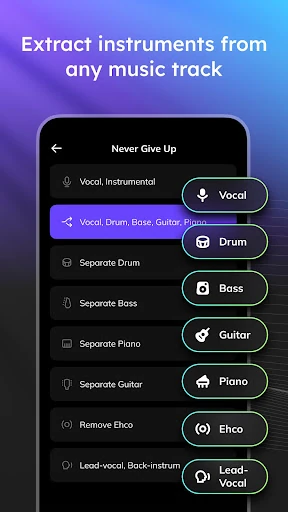
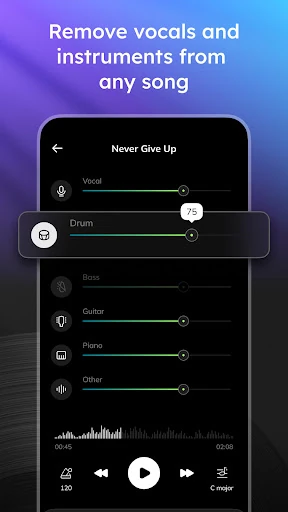
Vocal Remover - Musiclab separates parts of a song so you can listen to or work with individual elements. It can isolate vocals and split out instruments including drums, bass, piano and strings. That makes it useful for making a vocal-free backing track, pulling out a vocal part, or hearing one instrument more clearly in a finished mix. The app also includes noise reduction for cleaning up audio.
Singers looking for practice tracks, musicians learning a part by ear, and creators preparing material for a remix are the natural audience. You bring in an existing track and use the separated parts for listening or further work; this is not the same as getting the original recording’s separate studio tracks. Results can depend on how the song was mixed, so separation may not be perfectly clean.
The focus is on audio separation rather than a full music-production workspace. Use it when you have a specific track to break down, not as a substitute for recording or arranging software. Being able to turn down or isolate parts can help with practice and basic editing, while noise reduction offers a separate option for audio that needs cleanup.
EaseUS is the developer. The app is listed in Music & Audio and has more than 1,000,000 installs. Its rating is about 4.47 out of 5 from 34,961 reviews, giving prospective users a substantial set of ratings to consult alongside their own needs.